How to get started
Follow these steps to set up SurfMind in your browser.
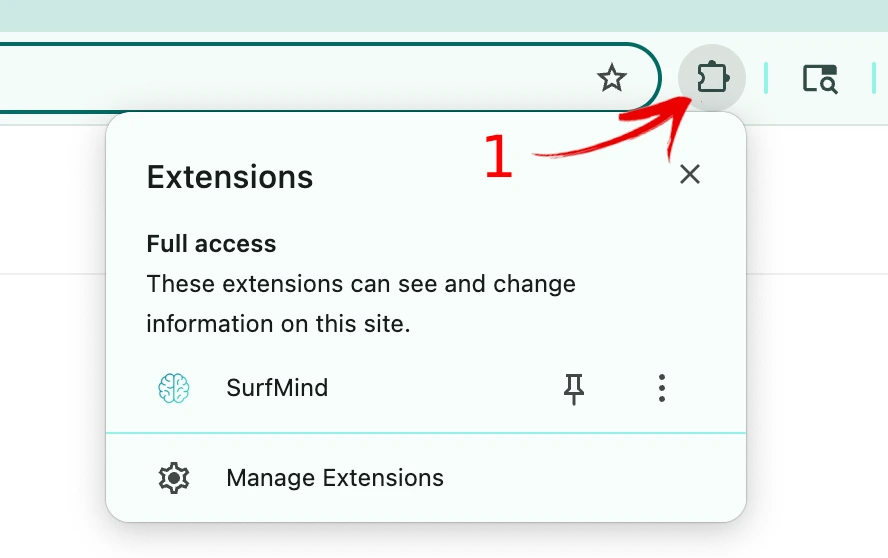
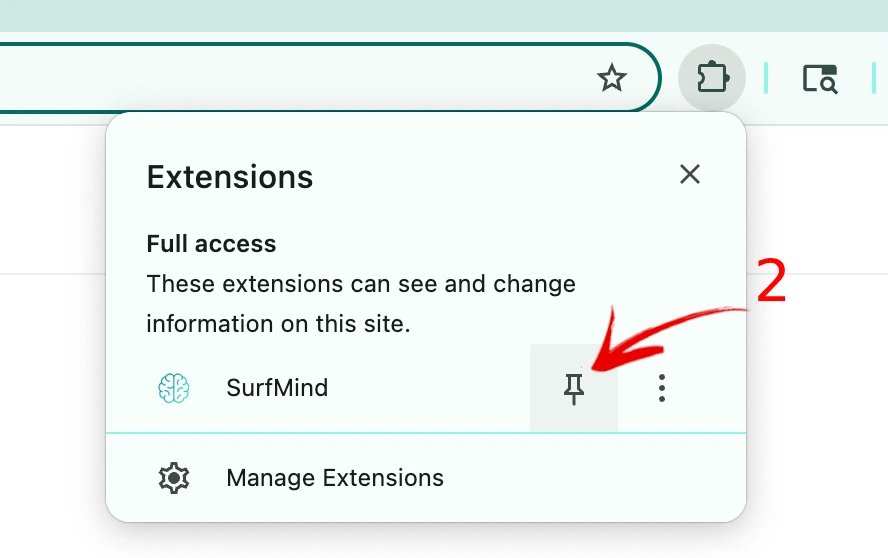
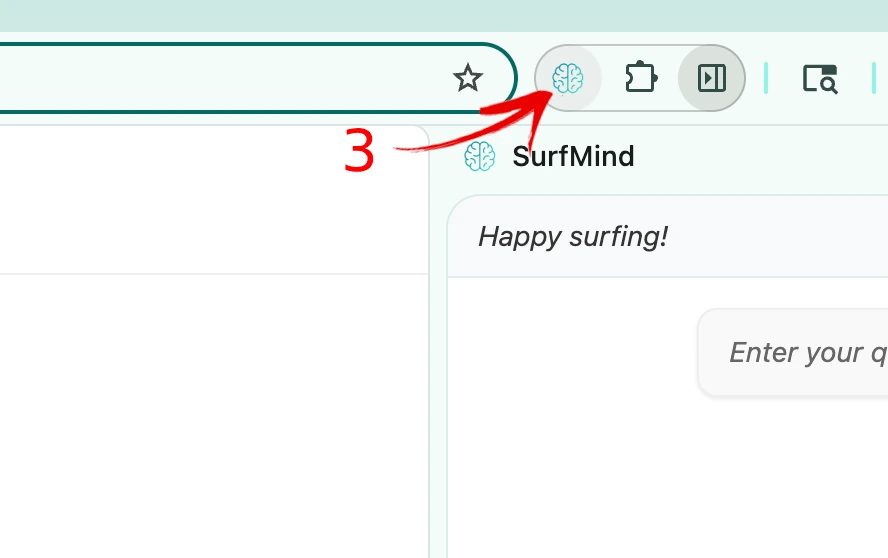
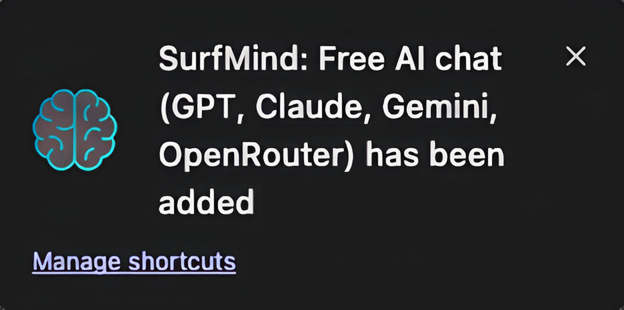
Manage shortcuts
Select Manage shortcuts from the popup after install
or
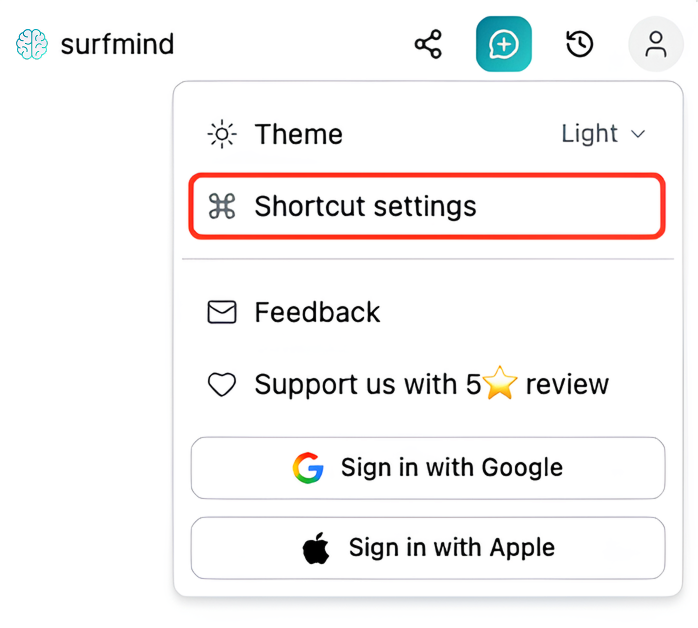
Select Shortcut settings from the user menu in the extension
Edit command shortcuts
chrome://extensions/shortcuts

SurfMind
Open SurfMind
Alt + SOpen quick chat
Alt + QAdd selection to chat
Alt + J