
 Add to Chrome
What Is an AI Decision Model? How Jev Makes Browser Automation 50x Cheaper
Before an AI browser agent clicks anything, it has to figure out what to click. So it sends the page to a language model and asks, "What should I do next?" The model reads the whole page, thinks it over, and writes back an answer. Then the agent clicks.
You're billed for every token of that round trip. For one click, that's a fraction of a cent. For a 20-step task you run every day, it adds up fast.
And here's the funny part: most of those questions are easy. "Which of these buttons is 'Add to cart'?" "Did the form submit?" "Is this a cookie banner?" You'd answer them in a split second without really thinking. Yet most AI agents answer them the slow, expensive way, by asking a full language model to write out a response every single time.
There's a better tool for that job: the AI decision model. The idea has been around for a while, but it got a lot more attention in September 2026 when TypeSafe AI released Jev, a decision model that's fast, costs next to nothing to run, and works on almost any question you throw at it. In this post we'll look at what decision models are, why Daniel Kahneman's Thinking, Fast and Slow is the best way to understand them, and how splitting the work between "fast" and "slow" models can make browser automation up to 50x cheaper than running every step through a small LLM like Claude Haiku. It's also exactly what we're bringing to SurfMind's browser actions.
What Is an AI Decision Model?
An AI decision model makes decisions. That's it. It doesn't write.
You hand it a situation (say, a web page) and a question with a fixed set of possible answers: "Which of these 14 elements is the checkout button?" or "Is a login wall blocking this page?" It picks one of your answers and tells you how sure it is. No paragraphs, no explanations, nothing to clean up afterward.
That makes it surprisingly useful inside software, for two reasons:
- The answer always fits. It can only pick from the options you gave it, so your code can act on the result straight away.
- It knows how sure it is. A good decision model is calibrated: when it says 90%, it's right about 90% of the time. That confidence tells the agent when to go ahead and when to ask for help.
Jev is a good example. It never writes a word, answers in well under a second, and costs a small fraction of what an LLM does. We'll use its published prices later to work out the savings.
Decision models aren't new
The idea of a separate model that only makes judgments has been around for years, in a few different forms:
- Fine-tuned classifiers like BERT-based models (since 2018) are fast and accurate, but each one only knows one job. A spam filter detects spam, and that's all.
- Zero-shot classifiers, such as natural language inference (NLI) models and newer open models like GLiClass, let you make up the labels when you ask, with no training needed.
- Reward models and safety classifiers, like Meta's Llama Guard, sit next to other AI models and judge what they produce.
- Small LLMs used as classifiers skip writing a reply and just read how likely each answer option is. Open projects like OpenJev work this way.
So why did Jev take off? It rolls these ideas into one hosted model that handles almost any question you describe in plain English, gives you calibrated confidence, and is priced for decisions that happen millions of times a day. Independent comparisons find that open alternatives already win on cost and privacy if you run them yourself, but still trail Jev on accuracy when the question is new to them. That's why Jev is the example we'll use throughout this post.
Decision Models vs. LLMs
A large language model (LLM) like Claude, GPT, or Gemini generates its answer one token at a time. Even when you only want a one-word answer, the LLM reads everything, "writes" its response, and often explains itself. You pay for all of it, then hope the reply is in the format you asked for.
| LLM | Decision model | |
|---|---|---|
| Output | Free-form text | One answer from the options you define |
| Can it write or reason step by step? | Yes | No |
| Answer always in your format? | Usually, not always | Always |
| Tells you how sure it is? | Not reliably | Yes, a calibrated probability |
| Cost | Pays for input and output tokens | Usually input only, at a fraction of the price |
| Speed | Seconds for longer answers | Typically well under a second |
| Best at | Planning, writing, open-ended reasoning | Fast, repeated, well-defined judgments |
Neither replaces the other. The interesting part is what happens when you combine them, and that's where Kahneman comes in.
Thinking, Fast and Slow: System 1 and System 2 for AI
In his 2011 book Thinking, Fast and Slow, psychologist Daniel Kahneman describes two modes of human thinking:
- System 1 is fast, automatic, and effortless. Recognizing a friend's face, reading a stop sign, knowing that 2 + 2 = 4. You don't decide to do it; it just happens.
- System 2 is slow, deliberate, and effortful. Planning a trip, comparing two mortgage offers, working out 17 × 24. It takes attention and energy, so you use it sparingly.
The crucial insight is that most of what we do all day is System 1. We only call in System 2 when something is new, hard, or surprising. If you had to consciously deliberate over every step you took while walking, you'd never get anywhere.
Today's AI agents only have System 2
Most AI agents today use a large language model for everything. The LLM plans the task, and then the same LLM decides every single click, scroll, and keystroke. That's like hiring a senior analyst to plan a project, then asking them to personally make every photocopy too.
The result is predictable: agents that are slow, expensive, and occasionally derailed by a malformed response on a step that should have been trivial.
Decision models give AI a System 1
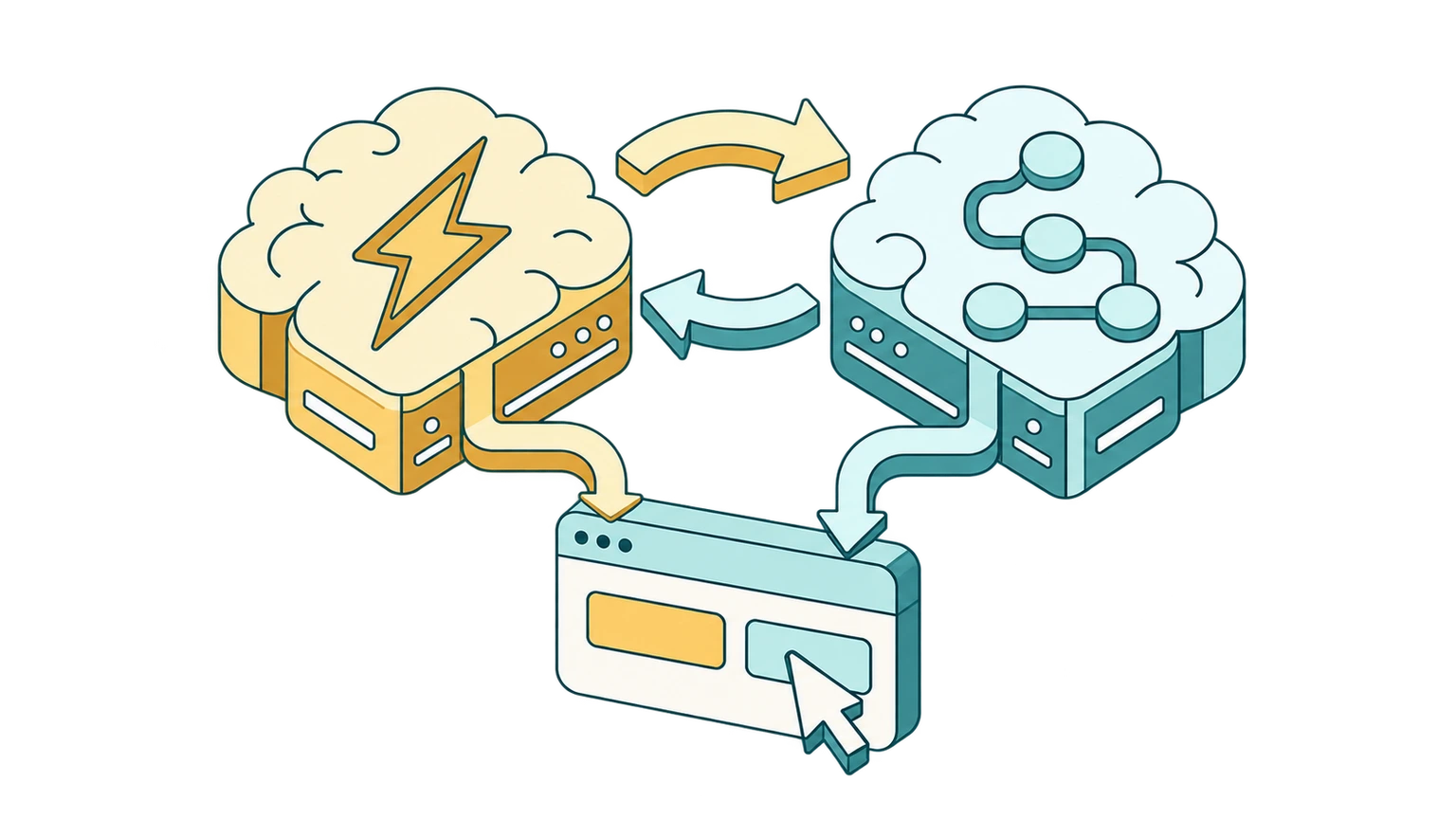
A decision model is the missing System 1: a fast, cheap, automatic judgment layer that handles the routine calls, and knows when to hand off.
Put the two together and the architecture looks a lot like the human mind:
- System 2 (the LLM) understands what you asked for, makes the plan, writes any text, and handles anything unusual.
- System 1 (the decision model) makes the many quick, repetitive decisions needed to carry out the plan.
- Confidence is the handoff signal. When the decision model is confident, the agent acts. When it isn't, the question escalates to the LLM, just as a person switches to careful thinking when something feels off.
Why Browser Automation Is Expensive Today
To see where the savings come from, look at what an AI browser agent actually does on each step:
- Read the page. The agent captures the page state: a simplified DOM, an accessibility tree, or a screenshot.
- Decide. The model reads that state, plus the goal and the history of previous steps, and picks the next action.
- Act. The agent clicks, types, or scrolls.
- Check. The model looks at the new page to see whether it worked.
Then it repeats. The expensive part is step 2. Page state is large, often thousands of tokens per step, and many agents re-send the growing history of the task on every step too. Industry write-ups put a typical multistep browser task at 20,000 to 60,000 tokens, and the LLM also pays output prices to write out each action.
Here's the thing: once a page has been turned into a list of candidate elements, most of those steps are not language problems. They're multiple-choice questions. "Which of these elements should I click?" "Did the page change the way we expected?" That's System 1 work, exactly what decision models are built for.
How Decision Models Cut the Cost of Browser Actions by Up to 50x
To put real numbers on the savings, we'll compare Jev with Claude Haiku 4.5, one of the most affordable LLMs from a major AI lab. TypeSafe calls Jev a "System One model", using Kahneman's term directly.
- Jev costs $0.042 per million input tokens, and output is free (on OpenRouter). Answers typically arrive in 70 to 500 milliseconds.
- Claude Haiku 4.5 costs $1.00 per million input tokens and $5.00 per million output tokens.
Take a single routine step in a browser task, such as picking the right element to click.
Using an LLM (Claude Haiku 4.5) for the step: the agent sends about 12,000 input tokens (instructions, tool definitions, page state, and task history) and gets back about 200 output tokens describing the action.
- Input: 12,000 × $1.00 / 1M = $0.0120
- Output: 200 × $5.00 / 1M = $0.0010
- Total: about $0.013 per step
Using a decision model (Jev) for the same step: it doesn't need the chat history or tool definitions. It gets the goal for this step and the candidate elements, around 6,000 input tokens, and returns a choice with a confidence. Output is free.
- Input: 6,000 × $0.042 / 1M = $0.00025
- Output: $0
- Total: about $0.00025 per step
That's roughly 50x less per routine step, and the answer typically comes back in well under a second.
What that means for a whole task
A real task still needs System 2 somewhere: the LLM has to understand your request and plan it, and some steps will be genuinely ambiguous. So the savings on a full task depend on one thing above all: how often the decision model hands a step back to the LLM.
Here's a 20-step task, using the per-step numbers above, with one Haiku planning call (~$0.0075) in the hybrid setup:
| Setup | Cost per task | Cost for 1,000 tasks | Savings vs. LLM only |
|---|---|---|---|
| LLM (Haiku) for every step | $0.260 | $260 | baseline |
| LLM plans, decision model decides, 10% of steps escalated | $0.039 | $39 | ~7x cheaper |
| LLM plans, decision model decides, 0% escalated | $0.013 | $13 | ~20x cheaper |
| Decision model only, on a repeated or pre-planned workflow | $0.005 | $5 | ~50x cheaper |
Illustrative estimates based on public list prices. Real numbers depend on page size, how many steps a task takes, prompt caching, and how often a task needs the LLM.
The pattern is clear: the more of your automation is routine, the closer you get to the 50x end. Repetitive workflows you run again and again, like filling the same form, checking the same dashboard, or triaging the same kind of page, are where decision models shine.
Independent tests point the same way. In one LiteLLM routing test, 240 Jev calls cost $0.0077 versus $0.1985 for the same calls on Claude Haiku 4.5, about 26x cheaper.
Faster, too
Cost isn't the only win. An independent benchmark measured Jev's median response time at 239 ms against 687 ms for Claude Haiku 4.5, roughly 3x faster. Across a 20-step task, that's many seconds you're not waiting for your browser. The same benchmark recorded zero malformed outputs from the decision model, since it can only answer with one of the options it was given.
Are Decision Models Accurate Enough?
Cheaper only matters if the clicks are right. Here's the honest picture.
Decision models are best at narrow, well-defined questions. In a published phishing-detection benchmark, asking Jev one broad question ("is this email phishing?") scored 62.6% accuracy, compared to Haiku's 81.3%. But when the same task was split into five narrow questions, the decision model reached 95.0%, ahead of Haiku's 93.2%.
That's the System 1 lesson again. Fast thinking is excellent at simple, specific judgments and poor at complicated, vague ones. So the right design splits the work:
- Let the LLM break the task down into small, concrete decisions.
- Let the decision model answer each small decision, like "which element?" or "did it work?"
- Use confidence as a safety net. Low-confidence answers go back to the LLM instead of guessing.
Web pages are untrusted input. Security researchers at Check Point have shown that decision models can be targeted by prompt injection just like LLMs can. A fixed answer space limits the damage (the model can only pick from the options your code gave it), but it doesn't remove the risk. That's one more reason SurfMind keeps a person in the loop: browser actions ask for your permission before they run.
Decision Models in SurfMind: Fast and Slow Thinking in Your Browser
SurfMind's browser actions let AI click, type, and scroll on your behalf, right inside the pages you're already using. Until now, every one of those steps ran through a language model.
We're adding a decision model as SurfMind's System 1, starting with Jev:
- Your chosen LLM is System 2. It understands your request, plans the task, writes any text, and steps in whenever something is unclear.
- The decision model is System 1. It handles the routine, repeated decisions: finding the right element, confirming a step worked, spotting pop-ups and banners.
- Confidence decides the handoff. Confident decisions go ahead. Uncertain ones go to the full model, so you save money without trading away reliability.
- You stay in control. Browser actions still ask for your permission before they run.
The goal is simple: the same browser automation you use today, at a fraction of the cost, and potentially up to 50x less than running every step through Claude Haiku alone. That fits the way SurfMind has always worked: pay only for what you use, and match the model to the task instead of paying premium prices for everything.
Want AI that works in your browser without the big bill?
SurfMind brings 300+ AI models and browser actions to every page you visit, and with decision models, the routine clicks get dramatically cheaper.
Related posts
View all
BYOK Meaning: What 'Bring Your Own Key' Is and Why It's the Future of AI Tools
BYOK means Bring Your Own Key: you connect your own API key to AI tools instead of paying subscriptions. Learn what BYOK means, how it saves 40–90%, and how to start in 5 minutes.
Best Free OpenRouter Models in 2026 (and How to Actually Use Them)
OpenRouter hosts free models from NVIDIA, Google, OpenAI, and more. Here's which free models are worth your time, what the rate limits really are, and how to chat with them in your browser.
5 Ways to Get Claude/GPT Quality AI for Under $5/Month
Skip the $20/month subscriptions. Learn how to access top-tier AI models like Claude Sonnet 4.6, GPT-5.4, and Gemini 3 Flash for a fraction of the cost using BYOK and smart model selection.