
 Add to Chrome
SurfMind vs Page Assist: A Page Assist Alternative With an AI Agent
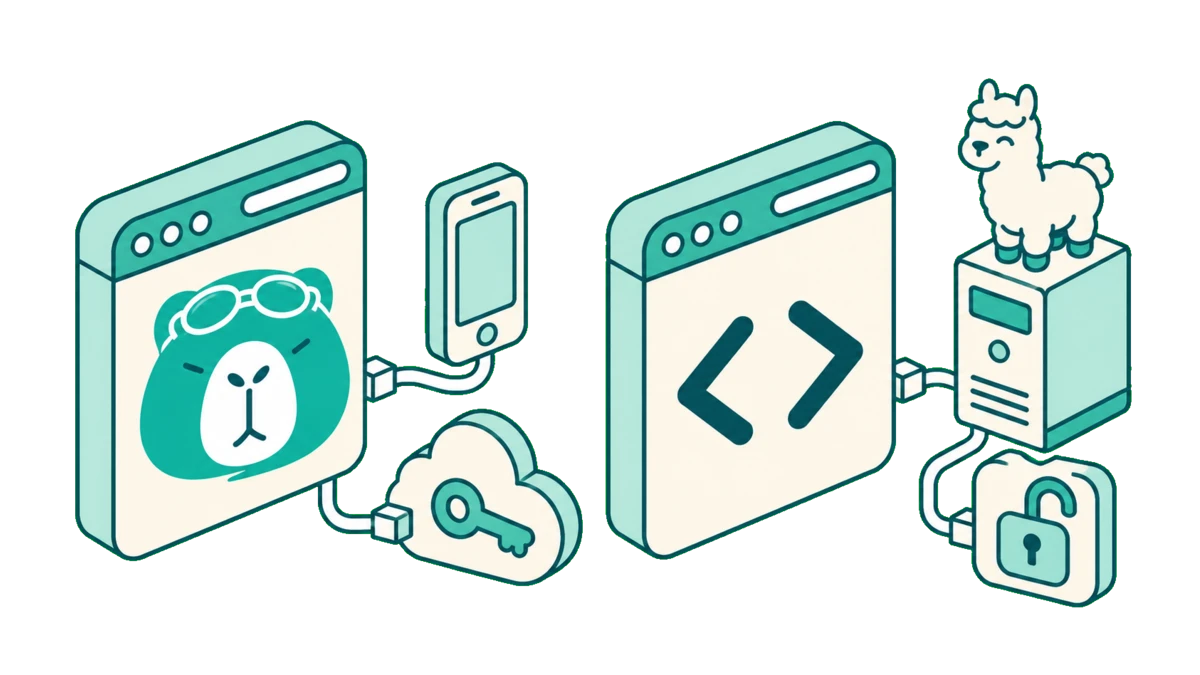
Page Assist and SurfMind both put a sidebar in your browser that can talk to a model running on your own machine. Both give you model freedom: local models, your own API keys and any OpenAI-compatible server. Page Assist is a free, open-source project built around local AI. SurfMind starts from the same freedom and adds more on top: an agent that clicks, types and scrolls in the browser, scheduled AI tasks, MCP connectors and skills, side-by-side model comparison, hosted models with no keys to set up, and Safari on Mac, iPhone and iPad.
The short version: pick Page Assist if you want open-source code you can check yourself, no account and a local knowledge base. Pick SurfMind if you want local AI plus browser actions and scheduled tasks in one extension, hosted models for the moments a local one is too slow, or an assistant that also runs in Safari and on your iPhone.
Same model freedom, different scope
Page Assist is an MIT-licensed extension maintained by Muhammed Nazeem and community contributors. It gives you a sidebar and a ChatGPT-style web UI for Ollama, Chrome's built-in AI, and any OpenAI-compatible server such as LM Studio or llama.cpp. There is no paid plan and no vendor backend. It is focused on one job: chatting with local and own-key models, with your pages and your documents.
SurfMind is an AI sidebar for every page you browse. It shares Page Assist's starting point, so you are not tied to one vendor's models. From there it aims wider: the assistant can act in the browser, run on a schedule, connect to your tools, and follow you to Safari and your phone. SurfMind is not open source, and it has a paid plan for the heavier features.
The sections below cover where SurfMind adds something, and then where Page Assist is ahead.
Local models, your keys, or hosted models with no setup
On local models the two are close. Both connect to Ollama and LM Studio, and both accept any OpenAI-compatible endpoint. Page Assist goes a little wider on local runtimes: it supports Chrome's built-in Gemini Nano (marked beta) and has a documented setup for Llamafile. It also ships presets for cloud providers, including OpenRouter, OpenAI, Anthropic and Google, all usable with your own key.
SurfMind has dedicated presets for Ollama and LM Studio, llama.cpp, vLLM, Open WebUI and OpenRouter, plus a custom endpoint option for anything OpenAI-compatible, such as a company gateway. SurfMind adds no usage caps. You can add any model ID yourself, so a new model works the day the provider releases it.
The difference is the third path. With SurfMind credits you can use 100+ hosted models, including image generation, without creating a single API key. Page Assist has no hosted option; every cloud model needs your own key.
Why it matters: a local model is great until the task is too big for your laptop. In SurfMind you can switch to a hosted model in the same chat, without signing up with a provider first, and switch back to local for private pages.
Browser actions and scheduled tasks
Page Assist has an agent too. Browser automation comes as "Page Action", a separate companion extension for Chrome, Brave and Edge that can click, type, scroll and fill forms. It does not work on Firefox.
SurfMind builds browser actions into the main extension, so there is nothing extra to install:
- Browser actions: the agent can open pages, click, type and scroll to carry out a task, and by default it asks permission before it acts.
- Scheduled AI tasks: run a prompt on a schedule, for example a morning summary of the pages you follow. Page Assist does not offer scheduled tasks.
- Side-by-side model comparison: send one question to two models and compare the answers. This is handy when you are deciding whether a local model is good enough for a task or you need a hosted one.
Why it matters: a sidebar that only answers still leaves the repetitive work to you. With actions and schedules in one place, the same assistant that reads a page can also do the routine steps around it.
MCP and skills
Both can connect to MCP servers. MCP (Model Context Protocol) is an open standard for connecting an AI assistant to outside tools and data. Page Assist includes an MCP client at no cost.
In SurfMind you can add your own MCP servers too. On top of MCP, SurfMind has skills: a skill is a reusable set of instructions for a task you do often, such as reviewing a pull request or summarizing a paper in your format. You can use public skills or write your own. You can also edit the system prompt, so the assistant follows your rules by default.
Why it matters: MCP decides what the assistant can reach, and skills decide how it handles the tasks you repeat. Together they let you shape the assistant around your own workflow.
Browsers and devices
| Browser | SurfMind | Page Assist |
|---|---|---|
| Safari on Mac | Yes | Not listed |
| iPhone and iPad | Yes (Safari) | Not listed |
| Opera, Arc | Yes | Web UI only, no sidebar |
| Chrome, Edge, Brave | Yes | Yes |
| Firefox | Yes | Yes (also LibreWolf and Zen) |
If you live in Safari or want the assistant on your phone, SurfMind is the one that covers it. SurfMind also has a web chat at chat.surfmind.ai. It has no desktop app and no Android app. If you use LibreWolf, Zen or Vivaldi, Page Assist names them as fully supported.
Chat with the page
This is the core job for both, and they approach it differently.
Page Assist reads the page through embeddings by default, which means you need an embedding model installed alongside your chat model. You can turn that off in settings. It can also show the page to a vision model, with an OCR fallback that the project itself describes as basic.
SurfMind reads the page and passes it to the model you picked, with no embedding model to install. You can also select text on the page for quick actions, and bring several tabs into one conversation. Page Assist has tab mentions too, marked experimental.
Where Page Assist is ahead
Page Assist is open source under the MIT licence, needs no account, and has no paid tier. If you need to verify the code yourself, that settles it in Page Assist's favour; SurfMind is not open source. Page Assist is also actively maintained, with releases about once a week.
It has a local knowledge base. You can add PDF, DOCX, TXT, CSV and Markdown files and chat with them through local embeddings. The project asks you to use it with caution, since embeddings are stored in the browser and can slow it down. SurfMind has no knowledge base.
It also supports Chrome's built-in Gemini Nano (beta), a documented Llamafile setup, and browsers such as LibreWolf, Zen and Vivaldi.
Privacy
With a local model, both keep the page on your machine.
Page Assist's privacy policy says it collects no user data, has no analytics, and stores chats and settings in your browser. The only time it contacts the project's server is when you create a share link, and you can self-host that server. The code is open, so you can check all of this yourself.
SurfMind stores your API keys in the browser and sends requests straight to the provider you chose. When you use SurfMind credits, requests go through SurfMind to reach the model. SurfMind's code is not open source, so here you are relying on its privacy policy rather than on a code review.
Price
Page Assist is free. There is no paid tier; the project is funded by sponsors.
SurfMind's Free plan covers chat with any page using local models, your own keys or OpenRouter. The paid options:
- SurfMind credits: pay as you go for hosted models. One credit covers $0.01 of model usage.
- Pro Lifetime: $39 once. Unlocks the Pro features; AI usage is not included.
- Pro Monthly: $10 a month. Pro features plus 800 credits each month.
The Free plan includes chat with any provider or local model, basic MCP connectors, public skills, two tabs in a chat, and an agent that opens pages. Pro adds browser actions that click, type and scroll, scheduled AI tasks, side-by-side model comparison, your own MCP servers and custom skills, chat export to Notion and Obsidian, unlimited tabs in a chat, and web search and PDFs with any provider (on Free they use SurfMind credits).
Side by side
Checked November 13, 2026 against each product's official pages.
| SurfMind | Page Assist | |
|---|---|---|
| Browser actions | Built in: open pages, click and type | Separate extension, Chromium only |
| Scheduled tasks | Yes | No |
| Hosted models without a key | Yes, with SurfMind credits | No |
| Image generation | Yes, with SurfMind credits | Not documented |
| Safari and iPhone/iPad | Yes | Not listed |
| Sidebar in Opera and Arc | Yes | No |
| Chat with the page | Yes | Yes (needs an embedding model by default) |
| Ollama and LM Studio | Yes | Yes |
| Your own API key | Yes | Yes |
| MCP | Yes, including your own servers | Yes |
| Chrome built-in AI (Gemini Nano) | No | Yes (beta) |
| Local knowledge base | No | Yes |
| Licence | Commercial | Open source (MIT) |
| Price | Free plan; Pro $39 once or $10/month | Free, no paid tier |
Which should you choose?
Choose Page Assist if you want open-source software you can verify, with no account and no vendor in the loop, a local knowledge base for your documents, or Chrome's built-in AI. It costs nothing, and it is actively maintained.
Choose SurfMind if you want the same local-model freedom plus an assistant that clicks, types and scrolls for you, runs scheduled tasks, connects to your tools through MCP and skills, and compares two models side by side. It is also the pick if you want hosted models with no keys to set up, or one assistant across Chrome, Firefox, Safari and your iPhone.
They also work fine together: both talk to the same Ollama server, so you can keep Page Assist for document work and use SurfMind for browser actions, schedules, and the places Page Assist doesn't run.
Frequently asked questions
Is SurfMind free to use with Ollama?
Yes. Connecting a local model costs nothing, and SurfMind adds no usage caps. See how to use Ollama to chat with any webpage for the setup.
Is Page Assist open source?
Yes. It is published under the MIT licence on GitHub. SurfMind is not open source.
Can Page Assist click and type in the browser?
Through a separate companion extension, Page Action, for Chrome, Brave and Edge. It does not work on Firefox. In SurfMind, browser actions are built into the main extension: opening pages, clicking, typing and scrolling.
Does Page Assist work on Safari?
Safari is not on Page Assist's list of supported browsers. SurfMind has Safari extensions for Mac, iPhone and iPad.
Do I need an embedding model?
Page Assist uses one by default for chat with the page and for its knowledge base, though you can turn it off for page chat. SurfMind does not ask you to install one.
Can I use both with OpenRouter?
Yes. Both have an OpenRouter preset that works with your own OpenRouter key, including OpenRouter's free models.
What other tools does SurfMind compare with?
See SurfMind vs Sider, SurfMind vs Monica, SurfMind vs Merlin, SurfMind vs HARPA AI, and SurfMind vs Perplexity. For all of them in one table, see AI browser extensions compared.
Related posts
View all
Ollama vs LM Studio: Which Local AI Tool Is Right for You?
A practical, no-hype comparison of Ollama and LM Studio for running AI models locally in 2026, plus how to use either one to chat with any web page.
Private AI in Firefox: Run Local Models with Zero Telemetry
Add a private AI assistant to Firefox that runs on local models, so your page content never leaves your machine. No telemetry, no cloud, no compromise.
The Best Browser Extensions for Local AI Models in 2026 (Ollama, LM Studio & More)
The best browser extensions for running local AI models in 2026, from polished local+cloud sidebars to open-source Ollama tools. Chat with any page, privately.